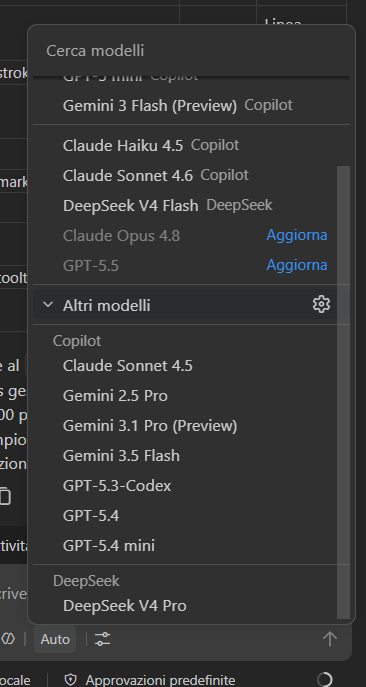
This is a step by step tutorial on how to bring your own api key inside GitHub Copilot running on Visual Studio Code.
Open the GH Copilot chat panel on VS Code, Hover the mouse on the ‘Other Models’ and click on the settings icon.
This will open a modal. Click on the ‘Add models’ button and select ‘OpenAI Compatible’
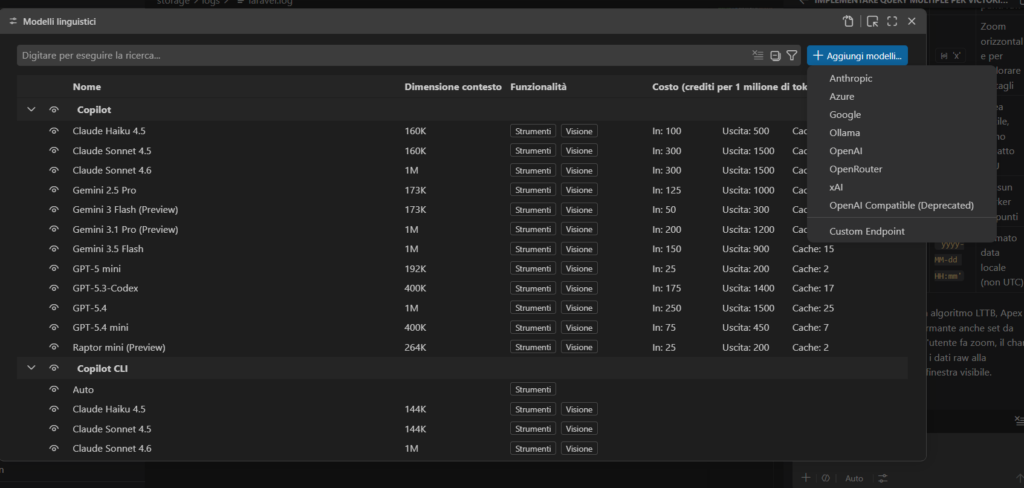
Now, fill the prompt the group name (ex. DeepSeek) and your api key.
You will then need to configure the json with the models you want to use. For example:
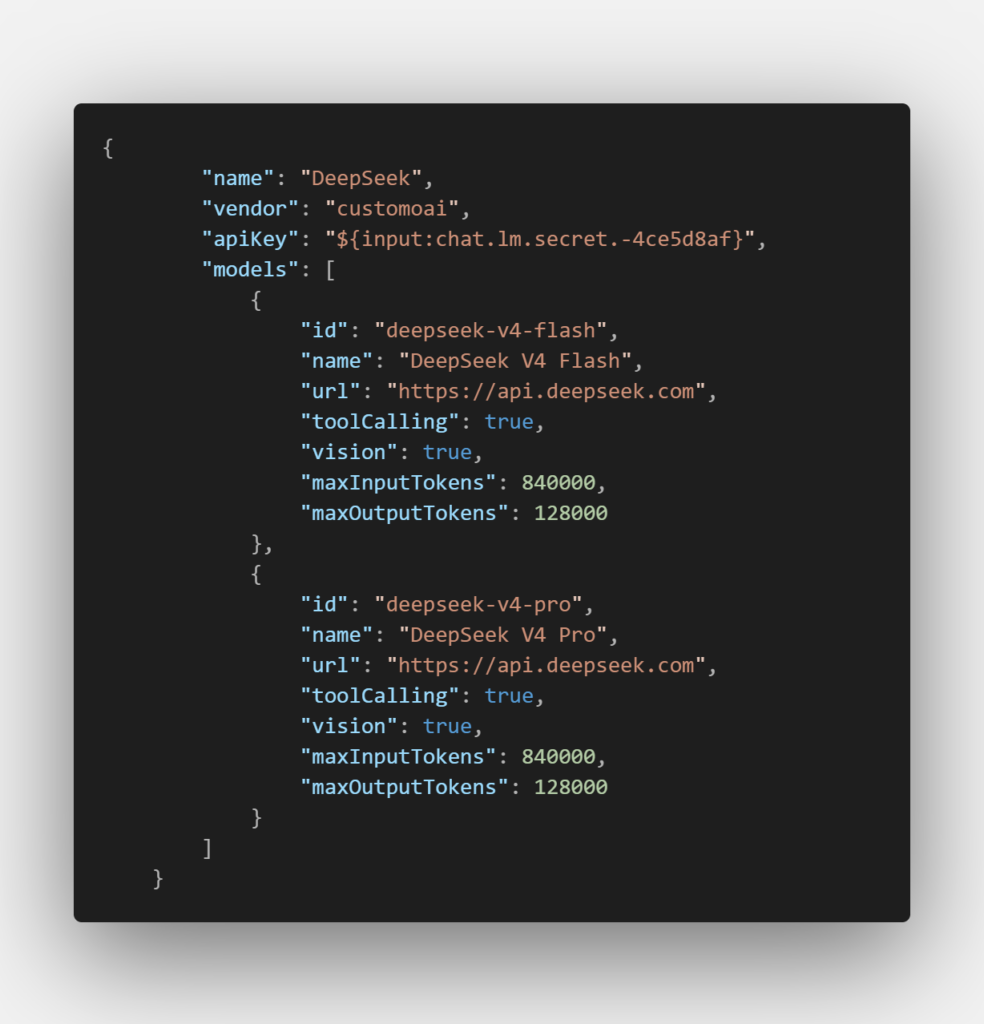
Now you fill find deep seek flash and pro models in the list of the available models!